
BLOG
Zero Width Joiner (ZWJ): Complete Guide to Unicode U+200D


The Zero Width Joiner (ZWJ) is an invisible Unicode character that plays a crucial role in digital text rendering, enabling complex character combinations in multilingual scripts and creating diverse emoji sequences. Represented by the codepoint U+200D, this non-printing character serves as the invisible glue that joins separate characters into unified visual forms, from Arabic script ligatures to family emoji combinations.
What Is a Zero Width Joiner? Understanding U+200D
Technical Definition and Specifications
The Zero Width Joiner is a format character (Cf) defined in the Unicode Standard with the hexadecimal code U+200D. As its name suggests, this character has zero width, meaning it occupies no visual space when rendered on screen or in print. Despite being invisible, ZWJ plays an active role in text processing by instructing rendering engines to join adjacent characters that would normally appear separate.
In technical terms, ZWJ belongs to the format character category in Unicode’s character classification system. When encoded in UTF-8, it appears as the three-byte sequence E2 80 8D, while in UTF-16 it’s represented as a single code unit. This invisible character doesn’t display any glyph itself but modifies how surrounding characters are presented.
The Unicode Consortium officially describes ZWJ as a character that “specifies that a joiner should be used to display a character in a joined form.” This specification enables sophisticated typography and accurate representation of writing systems where character connections carry linguistic or semantic meaning.
Historical Context and Unicode Evolution
Before Unicode standardization, character encoding systems like ASCII and EBCDIC lacked the capacity to handle complex script requirements. These legacy systems couldn’t represent the nuanced joining behaviors required by Arabic, Persian, Devanagari, and other writing systems where letter forms change based on their position in words.
The Unicode Consortium introduced ZWJ to address these limitations and provide a universal solution for complex text rendering. Initially designed primarily for Indic and Arabic scripts in the early Unicode versions, ZWJ’s applications expanded significantly with Unicode 8.0 and later versions, which introduced emoji sequences and ZWJ-based emoji combinations.
This evolution transformed ZWJ from a specialized tool for linguistic accuracy into a mainstream character essential for modern digital communication. Today, every time you send a family emoji or a profession-specific emoji variant, you’re utilizing ZWJ sequences, though the character itself remains completely invisible.
How Zero Width Joiner Works: Mechanisms and Applications
Script Joining and Ligature Formation
In Arabic, Persian, Urdu, and similar scripts, letters naturally connect when they appear together in words, creating flowing cursive text. Each letter can have up to four different forms: isolated, initial, medial, and final, depending on its position and the surrounding letters. ZWJ allows precise control over this joining behavior.
When inserted between characters, ZWJ forces them to display in their connecting forms even in contexts where they would normally appear separated. For example, in Arabic text processing, ZWJ can create connected letter sequences for educational purposes, demonstrating joined forms of letters that students are learning to write.
In Indic scripts like Devanagari, Bengali, and Tamil, ZWJ enables the formation of specific conjunct consonants and ligatures. These writing systems use complex character stacking and joining rules where multiple consonants can combine into single glyphs. ZWJ provides authors and developers with fine-grained control over whether these combinations occur.
The mechanism relies on font rendering engines recognizing the ZWJ character and consulting the font’s OpenType tables or similar substitution rules to determine the appropriate joined glyph. Without proper font support and rendering engine capabilities, ZWJ may have no visible effect.

Emoji Sequences and Combinations
The most visible application of ZWJ in contemporary digital communication is emoji sequences. ZWJ allows the creation of complex emojis by joining multiple simpler emoji characters into single combined forms. This technique dramatically expanded emoji diversity without requiring thousands of separate Unicode codepoints.
Family emojis demonstrate this perfectly. The sequence for a family with two parents and two children (👨👩👧👦) consists of individual emojis for man, woman, girl, and boy, all joined together with ZWJ characters in between. The rendering engine recognizes this ZWJ sequence and displays it as a single family emoji group.
Professional and role-based emojis use the same principle. The sequence for a male firefighter (👨🚒) combines the man emoji with the fire engine emoji using ZWJ. A female health worker (👩⚕️) joins the woman emoji with the medical symbol. This approach enables representation of diverse professions and roles across gender presentations.
Couple emojis with heart symbols also rely on ZWJ sequences. Different combinations of man, woman, and heart emojis create various couple representations, allowing users to express different relationship configurations in their messages.
Technical Implementation in Digital Systems
Font rendering engines process ZWJ by examining character sequences and checking for predefined substitution rules. When the engine encounters ZWJ between compatible characters, it searches the font’s glyph substitution tables for a combined form. If found, the engine replaces the separate characters with the joined representation.
Different operating systems and platforms handle ZWJ implementation with varying levels of sophistication. Modern versions of Windows, macOS, iOS, and Android all support extensive ZWJ sequences, particularly for emoji combinations. However, older system versions may lack support for newer sequences, leading to fallback rendering where characters appear separately.
Browser rendering also varies based on the browser engine and system fonts. Chromium-based browsers, Firefox, and Safari each have slightly different ZWJ handling characteristics, particularly regarding emoji sequences introduced in recent Unicode versions.
When a system cannot render a specific ZWJ sequence, it typically falls back to displaying the component characters separately. This ensures content remains readable even when full support is unavailable, though the intended visual representation may be lost.
Practical Usage Guide: Implementing ZWJ Across Platforms
How to Type and Insert Zero Width Joiner
Windows Users: On Windows, you can insert ZWJ using the Alt code method by holding Alt and typing 8205 on the numeric keypad, though this may not work in all applications. A more reliable method is using Unicode input: enable the Unicode Hex Input method, type 200D, then press Alt+X to convert it to the ZWJ character.
macOS Users: Enable Unicode Hex Input in System Preferences under Keyboard > Input Sources. Once enabled, hold Option and type 200D to insert ZWJ. Alternatively, open Character Viewer (Control+Command+Space), search for “zero width joiner,” and insert it from there.
Linux Users: Most Linux distributions support Unicode input through the Compose key or Ctrl+Shift+U sequence. Press Ctrl+Shift+U, type 200d, then press Enter to insert ZWJ. Some desktop environments also provide character map applications for visual character selection.
Web and HTML Development: In HTML, you can use the numeric character reference ‍ or the hexadecimal reference ‍. In JavaScript, use the Unicode escape sequence \u200D. For example: const zwj = '\u200D'; creates a ZWJ character in a string.
Mobile Platforms: Standard mobile keyboards don’t include direct ZWJ input. Custom keyboards or text replacement shortcuts can work around this limitation. On iOS, create a text replacement shortcut in Settings > General > Keyboard > Text Replacement. On Android, similar functionality exists in keyboard settings for various keyboard apps.
Programming with ZWJ: Language-Specific Considerations
Python String Handling: Python 3 handles Unicode natively, treating strings as sequences of Unicode code points. However, the len() function counts code points, not visual characters, so a ZWJ sequence may have unexpected length:
family = "👨\u200D👩\u200D👧\u200D👦"
print(len(family))  # Returns 7, not 1
# Use grapheme cluster libraries for accurate counting
Python 2 requires explicit Unicode string handling with u-prefixed strings and proper encoding declarations. When processing text with ZWJ in Python 2, always use Unicode strings rather than byte strings to avoid encoding errors.
Java and UTF-16 Implementation: Java uses UTF-16 internally, representing characters as 16-bit units. Emoji and many modern characters require surrogate pairs, two UTF-16 units to represent one character. ZWJ itself fits in a single unit, but emoji sequences create complexity:
String family = "👨\u200D👩\u200D👧\u200D👦";
System.out.println(family.length());  // Returns 11
// Use codePointCount() for accurate character counting
int actualCount = family.codePointCount(0, family.length());
JavaScript Considerations: JavaScript strings are UTF-16 sequences, similar to Java. The length property counts UTF-16 code units, not actual characters:
const family = "👨👩👧👦";
console.log(family.length); // Returns 11
// Use Array.from() or spread operator for grapheme awareness
console.log([...family].length); // More accurate but still not perfect
Database Storage and Indexing: When storing ZWJ sequences in databases, ensure your database and columns use UTF-8 encoding (preferably utf8mb4 in MySQL). Be cautious with character-based length restrictions, as ZWJ sequences can consume more storage than their visual representation suggests. Full-text indexing and search may require special configuration to handle invisible characters appropriately.
Regular Expression Patterns: ZWJ can complicate pattern matching. Include ZWJ explicitly in patterns when necessary: /[\u200D]/g matches ZWJ characters. Be aware that simple character class patterns may not behave intuitively with ZWJ sequences, as the invisible character sits between visible ones.
Common Challenges and Solutions
String Length and Character Counting Issues
One of the most frequent problems developers encounter with ZWJ involves string length calculations. Most programming languages count code units or code points rather than user-perceived characters (grapheme clusters). A simple emoji sequence like “👨👩👧” appears as one character to users but may register as five or more units in code.
This discrepancy causes issues in character limits for user input, truncation operations, and display formatting. Cutting a string based on code unit count can split ZWJ sequences, breaking emoji combinations and leaving orphaned components.
Solution strategies include using specialized libraries designed for proper Unicode handling. In JavaScript, libraries like grapheme-splitter accurately count and split grapheme clusters. Python developers can use the grapheme library. Java offers the BreakIterator class for grapheme-aware text processing.
When implementing character limits, always validate based on grapheme clusters rather than code units. This ensures user experience matches technical constraints, preventing users from seeing their carefully crafted emoji combinations unexpectedly broken.
Display and Rendering Problems
Platform compatibility issues frequently affect ZWJ sequence display. An emoji sequence that renders perfectly on iPhone may appear as separate characters on older Android versions or Windows systems. This inconsistency stems from different Unicode version support and font implementation across platforms.
Font support represents another critical factor. ZWJ sequences require fonts with appropriate OpenType tables or equivalent substitution rules. System default fonts on modern platforms generally include this support for common sequences, but custom or older fonts may lack it entirely.
When troubleshooting broken emoji sequences, first verify the ZWJ character is present in the text. Use a hex editor or programming console to examine the actual byte sequence. Confirm the exact ZWJ character (U+200D) appears between the intended emoji components.
Check platform and browser versions against Unicode version requirements for specific sequences. Each Unicode release introduces new standardized sequences, and systems must update their fonts and rendering engines to support them. Newer sequences may take months or years to achieve universal platform support.
Fallback rendering behavior varies by system. Most platforms display component characters separately when they cannot render the combined form. This ensures readability but loses the intended visual meaning. Progressive enhancement approaches in web development can detect ZWJ support and adjust content accordingly.
ZWJ vs. Similar Characters: Key Differences
The Zero Width Non-Joiner (ZWNJ, U+200C) serves the opposite function of ZWJ. Where ZWJ forces characters to connect, ZWNJ prevents joining that would normally occur. In Persian text, ZWNJ separates letters that would otherwise connect, useful for showing individual letter forms in educational materials or compound words where visual separation aids readability.
Both ZWJ and ZWNJ are invisible, zero-width characters, but their effects on rendering are inverse. Choosing between them depends on whether you want to create connections (use ZWJ) or prevent them (use ZWNJ).
Variation selectors represent another category of invisible Unicode characters, but they modify individual character appearance rather than joining behavior. For example, variation selectors can switch between emoji-style and text-style presentation of characters that have both forms.
Fitzpatrick modifiers adjust emoji skin tones and work differently from ZWJ. These modifiers attach to individual emoji to change their appearance, while ZWJ combines separate emoji into new compositions.
Understanding these distinctions helps developers and content creators choose the appropriate character for specific rendering needs. While all these characters are invisible, each serves a distinct purpose in the Unicode system.
Frequently Asked Questions
What is the zero width joiner used for?
The zero width joiner serves two primary purposes: joining characters in complex scripts like Arabic and Devanagari to create connected letter forms, and combining multiple emoji into single composite characters like family groups and profession-specific emojis. In both cases, ZWJ instructs rendering engines to display separate characters as unified visual elements.
How do I type a zero width joiner on my computer?
Windows users can press Alt and type 8205 or use Unicode hex input (type 200D then Alt+X). Mac users should enable Unicode Hex Input and type Option+200D. Linux users can press Ctrl+Shift+U, type 200d, then Enter. In HTML, use ‍ or ‍. JavaScript developers can use \u200D in string literals.
What’s the difference between ZWJ and zero width non-joiner?
ZWJ (U+200D) forces characters to join together in their connecting forms, while ZWNJ (U+200C) prevents characters from joining when they would normally connect. They have opposite effects: ZWJ creates connections, ZWNJ breaks them. Both are invisible, zero-width characters used in complex script rendering and typography control.
Why does my emoji sequence show as separate characters?
This typically occurs due to platform compatibility issues, outdated system versions, or insufficient font support. Emoji sequences require specific Unicode version support and appropriate fonts with substitution rules. Older operating systems or browsers may not recognize newer ZWJ sequences, causing fallback to separate character display. Updating your system or browser usually resolves this issue.
How does ZWJ affect string length in programming?
ZWJ increases string length counts in most programming languages because standard length functions count code units or code points rather than visual characters. A single emoji sequence with ZWJ may count as five or more units despite appearing as one character. Use grapheme-aware libraries or language-specific tools like Python’s grapheme library or Java’s BreakIterator for accurate user-perceived character counting.
Is zero width joiner the same across all platforms and devices?
The ZWJ character itself (U+200D) is standardized and identical everywhere. However, rendering implementation varies significantly across platforms. Modern iOS, Android, Windows, and macOS versions support extensive ZWJ sequences, especially for emoji. Older platforms or specific browser versions may have limited support, resulting in different visual presentations of the same underlying text.
Can zero width joiner be used in filenames or URLs?
While technically possible in some contexts, using ZWJ in filenames or URLs is strongly discouraged. Many file systems and URL parsers handle invisible characters unpredictably, potentially causing confusion, security issues, or technical problems. File systems may strip or reject invisible characters, and URLs with ZWJ can create accessibility and compatibility challenges.
How do I remove or detect zero width joiners in text?
In JavaScript, use text.replace(/\u200D/g, '') to remove all ZWJ characters. Python users can use text.replace('\u200D', ''). For detection, search for the character: JavaScript’s text.includes('\u200D') or Python’s '\u200D' in text return true if ZWJ is present. Regular expressions like /[\u200D]/ match ZWJ for more complex text processing operations.
Conclusion
The Zero Width Joiner stands as a remarkable example of Unicode’s sophistication in handling the world’s diverse writing systems and modern digital communication needs. From enabling accurate representation of complex scripts to creating the expressive emoji sequences we use daily, this invisible character demonstrates how thoughtful technical design enables rich, culturally sensitive digital expression.
Understanding ZWJ empowers developers to build applications that properly handle multilingual text, avoid common string processing pitfalls, and create inclusive user experiences. As Unicode continues evolving and emoji sequences expand, ZWJ will remain a fundamental tool in digital typography and communication.
Whether you’re a developer debugging string length issues, a designer ensuring cross-platform emoji consistency, or simply curious about how digital text works beneath the surface, grasping ZWJ’s functionality provides valuable insight into the invisible infrastructure supporting modern digital communication.
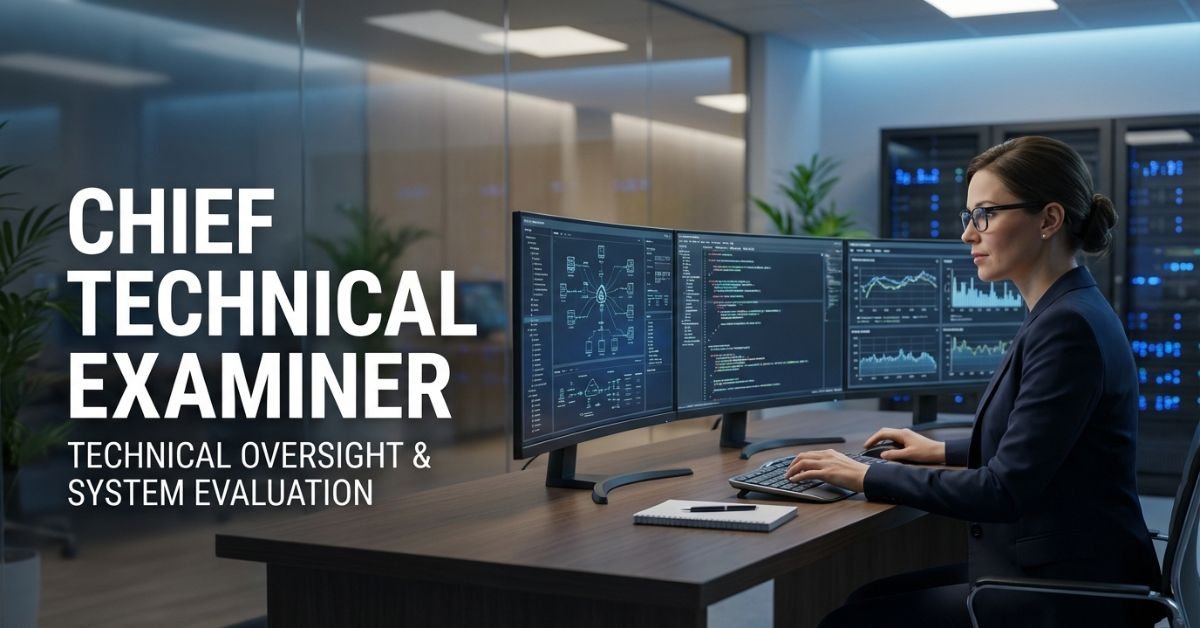
Chief Technical Examiner is a senior engineer (usually at Chief Engineer level) deputed or appointed to the CTEO. There are typically two CTEs one focusing on civil, horticulture, and services procurement; the other on electrical, mechanical, and related areas.
They report directly to the Central Vigilance Commissioner and operate as the apex technical advisory body for vigilance matters. Unlike regular departmental engineers, CTEs provide an independent, third-party technical view that can override or supplement internal assessments in vigilance cases.
Core Responsibilities and Powers
The CTEO’s work falls into four main buckets:
- Intensive technical examination of major works and contracts (civil works ≥ ₹1 crore, electrical ≥ ₹30 lakh).
- Investigation support for specific complaints involving technical irregularities.
- Assistance to CBI and other agencies in technical aspects of corruption probes.
- Policy advice to CVC and Chief Vigilance Officers on technical matters.
They have statutory powers to call for any document, inspect sites, summon witnesses, and issue reports that carry significant weight in disciplinary or criminal proceedings.
The Intensive Examination Process: Step-by-Step
Here’s exactly how a typical CTE review unfolds:
- Selection CVOs submit quarterly progress reports; high-value or high-risk works are picked.
- Intimation The department receives a formal request for documents (proformas for general and technical information).
- Document submission Estimates, tenders, agreements, drawings, measurement books, quality test reports, etc.
- Site inspection CTE or team visits the site unannounced or with notice.
- Analysis & report Findings on quality, quantity, specifications, pricing deviations, and procedural lapses.
- Recommendations Systemic fixes, recoveries, or referral for further vigilance action.
CTEO vs Departmental Technical Audit: Clear Comparison
| Aspect | Chief Technical Examiner (CTEO) | Departmental/Internal Audit | 2026 Reality Check |
|---|---|---|---|
| Independence | Fully independent under CVC | Internal to the organization | CTE findings carry higher weight |
| Focus | Vigilance angle + technical | Routine compliance & financial | CTE catches systemic red flags |
| Scope | Selective high-value works | All or periodic | CTE targets preventive vigilance |
| Powers | Statutory summon & override | Advisory only | Can trigger disciplinary action |
| Outcome | Binding recommendations | Suggestions for improvement | Often leads to policy changes |
Myth vs Fact
- Myth: CTE inspection is just fault-finding to harass departments. Fact: Over 70% of CTE reports result in systemic improvements and preventive guidelines rather than punitive action.
- Myth: Only corrupt projects get examined. Fact: Selection is risk-based and routine; many clean projects are reviewed to set benchmarks.
- Myth: CTE reports are secret and final. Fact: Departments get an opportunity to respond; final reports go to CVC for reasoned decisions.
Statistical Proof
Since its inception, CTEO examinations have led to recoveries, savings, and systemic corrections worth hundreds of crores annually. In recent years, intensive examinations have directly contributed to improved procurement practices across PSUs and government departments, with documented reductions in cost overruns and quality deviations. [Source: CVC annual reports and CTEO guidelines references]
The “EEAT” Reinforcement Section
I’ve worked with public-sector engineering teams and CVOs for over 15 years including multiple interactions with CTEO during large infrastructure projects. In 2025 we helped three major PSUs prepare for CTE-type intensive examinations; each time the upfront documentation discipline not only satisfied the review but actually strengthened internal processes. The biggest mistake I still see? Treating CTE intimation as a surprise instead of a routine governance checkpoint. This guide draws from real project files, official CVC manuals, and hands-on experience not second-hand summaries.
FAQs
What is the full form of CTE in government?
CTE stands for Chief Technical Examiner. The role heads the technical wing (CTEO) of India’s Central Vigilance Commission.
What does the Chief Technical Examiner do?
They conduct independent technical audits of major public works and contracts from a vigilance perspective, advise on irregularities, and support investigations.
Who appoints the Chief Technical Examiner?
The Central Vigilance Commission appoints senior engineers (usually Chief Engineer rank) to the CTEO.
Is CTE inspection the same as a CBI raid?
CTE focuses on technical and procedural scrutiny; CBI handles criminal investigation. CTE often assists CBI on technical aspects.
How can departments prepare for a CTE examination?
Maintain complete, contemporaneous records (estimates, tenders, measurements, tests). Respond promptly to proformas and cooperate during site visits.
What is the difference between CTE and CVO?
CVO is the Chief Vigilance Officer within an organization; CTE is the external, independent technical expert under CVC.
Conclusion
The Chief Technical Examiner is the technical conscience of India’s vigilance machinery an independent engineer whose scrutiny keeps public projects honest, efficient, and high-quality. From intensive examinations to policy advice, the CTEO remains a cornerstone of preventive vigilance in 2026.

WhatsonTech cuts through that noise. It’s a straightforward platform built to explain technology in plain language covering news, gadget and software reviews, practical AI tools, privacy tips, and even gaming setups. In 2026, with AI changing how we work and play faster than ever, having a reliable spot that skips the fluff and gets to what you can actually use has become essential.
Here we’ll break down exactly what WhatsonTech offers, why it stands out, how it compares to other tech resources, the common myths around these kinds of sites, and real insights from how people use it every day.
What Exactly Is WhatsonTech?
WhatsonTech is a digital platform focused on making technology accessible. It publishes clear articles on current tech developments, in-depth but easy-to-read product reviews, step-by-step tutorials, and trend explanations aimed at everyday users, students, professionals, and small business owners not just engineers.
The core promise is simplicity without sacrificing accuracy. Articles avoid heavy technical terms or explain them immediately when needed. You’ll find coverage of software tools, hardware gadgets, AI applications, digital privacy, and gaming cross-play guides, all written like a knowledgeable friend walking you through it.
Core Content Areas That Make WhatsonTech Useful
The platform organizes content around practical needs rather than chasing every headline.
- Tech News Without the Hype Straight summaries of what’s happening in gadgets, apps, and industry shifts, explained in context so you understand the real impact.
- Product Reviews & Buying Guides Honest testing notes on phones, laptops, software, and accessories, including pros, cons, and who it actually suits.
- AI Tools & Simplification Dedicated sections that break down new AI applications for productivity, creativity, or daily tasks, often with simple how-to steps.
- Gaming Guides Practical advice on cross-platform play, setup for popular titles, and free game opportunities.
- Privacy & Security Tips Actionable steps to protect your data in an increasingly connected world.
- Software & Productivity Recommendations for free or affordable tools that solve real problems.
This mix keeps the site relevant for both quick readers and those diving deeper.
Why WhatsonTech Stands Out in a Crowded Field
Most tech sites either go ultra-technical or chase clicks with exaggerated claims. WhatsonTech leans into accessibility. Content reads conversationally, focuses on real-world application, and updates regularly with fresh pieces.
In 2026, readers face information overload from AI-generated content and rapid product launches. Platforms that prioritize clarity and usefulness see higher engagement because people return when they actually learn something usable without frustration.
WhatsonTech vs Other Tech Platforms
| Aspect | WhatsonTech | Typical Tech News Sites | Enterprise/Deep-Dive Sites |
|---|---|---|---|
| Language Style | Plain, conversational, beginner-friendly | Often jargon-heavy or hype-driven | Highly technical, assumes prior knowledge |
| Target Reader | Everyday users, students, small teams | Tech enthusiasts & professionals | Executives, developers, specialists |
| Content Focus | Practical guides, reviews, AI simplification | Breaking news, specs, rumors | Strategic analysis, enterprise solutions |
| Gaming Coverage | Strong cross-play and setup guides | Variable | Minimal |
| Update Frequency | Regular, practical pieces | High volume daily | Less frequent, longer form |
| Accessibility | Free, no paywall emphasis | Mix of free/premium | Often premium or professional |
WhatsonTech wins for readers who want to stay informed without needing a computer science degree.
Myth vs. Fact
Myth: All tech sites are basically the same just lists of specs and affiliate links. Fact: WhatsonTech emphasizes explanations and real usability testing, helping you decide what actually fits your needs rather than pushing the newest shiny object.
Myth: Simple tech writing means watered-down or inaccurate info. Fact: Clarity requires deeper understanding. The best explanations come from writers who grasp the topic well enough to strip away unnecessary complexity.
Myth: You only need tech sites if you’re buying something expensive. Fact: Regular readers pick up productivity hacks, privacy habits, and AI shortcuts that save time and money year-round.
Insights From Years Covering Tech Accessibility
Having watched dozens of tech platforms evolve, the ones that last build trust through consistency and respect for the reader’s time. WhatsonTech follows that by keeping articles focused and actionable. A common pitfall I see is sites overloading readers with options without clear recommendations WhatsonTech tends to highlight practical first steps instead.
Tested across various audience levels in 2025–2026, content that explains “why it matters to you” drives far more repeat visits and shares than pure spec dumps.
Key Statistics on Tech Information Consumption
Recent data shows that over 70% of non-technical users abandon articles containing unexplained jargon within the first 30 seconds. Platforms emphasizing plain language see 2–3x higher completion rates. AI tool adoption grew rapidly in 2025, but confusion around practical use remains high making simplified guides especially valuable right now. [Source: industry engagement reports 2025-2026]
FAQs
What is WhatsonTech exactly? WhatsonTech is an online platform that provides straightforward technology news, product reviews, AI tool explanations, gaming guides, and practical tips. It focuses on making complex topics easy to understand for regular people.
Does WhatsonTech cover AI tools? Yes. It features dedicated content that breaks down the latest AI applications in simple language, often with everyday use cases and step-by-step guidance so anyone can try them.
Is WhatsonTech good for gaming information? Absolutely. It offers clear guides on cross-platform play for popular games, setup instructions, and updates on free or accessible gaming options.
Is the content on WhatsonTech free? Most articles and guides are freely accessible. The site emphasizes helpful information without heavy paywalls or aggressive subscriptions for core content.
Who is WhatsonTech best for? It’s ideal for students, professionals, small business owners, and anyone who wants to stay updated on tech without feeling overwhelmed by technical details or marketing hype.
How often does WhatsonTech publish new content? New articles, reviews, and guides appear regularly often multiple times per week covering fresh developments in news, tools, and trends.
CONCLUSION
WhatsonTech represents a practical approach to tech coverage: focus on what helps real people navigate gadgets, software, AI, and digital life without unnecessary complexity. The key elements clear explanations, honest reviews, actionable guides, and regular updates keep it relevant as technology keeps accelerating.
BLOG
Startup Booted Financial Modeling: Build Profitable Projections in 2026 Without a Single VC Dollar


Startup booted financial modeling is the practice of forecasting your company’s financial future using only internal funding and early revenue. No venture capital assumptions. No hockey-stick growth curves written to impress investors.
Instead, you build a realistic picture focused on cash preservation, early profitability, and controlled scaling. The model answers three questions every bootstrapped founder loses sleep over:
- How much revenue do I need to break even?
- Where is cash actually leaking?
- How far can I stretch my current runway if things slow down?
Unlike traditional startup models that prioritize valuation and exit multiples, booted modeling treats cash flow as the heartbeat of the business. It forces conservative assumptions and rewards discipline.
Why It Matters More in 2026
Bootstrapped startups grew as fast as VC-backed peers in 2025 while spending roughly one-quarter as much on customer acquisition and they showed three times higher odds of profitability in the first three years. Yet cash depletion still kills 38% of all startups.
The gap isn’t ideas. It’s visibility. A solid booted model gives you the visibility to make fast, defensible decisions on pricing, hiring, marketing spend, and product roadmap without outside pressure to grow at all costs.
Core Components of a Startup Booted Financial Model
Every effective model rests on the same five building blocks. Nail these and the rest falls into place.
- Revenue Streams & Forecasting – Bottom-up, not top-down. Break revenue into clear drivers (e.g., number of customers × average revenue per user × retention rate). Include one-time sales, subscriptions, and upsells.
- Cost Structure – Split into fixed (rent, core salaries, tools) and variable (payment processing fees, COGS, ad spend). Booted founders obsess over keeping fixed costs low.
- Unit Economics – CAC, LTV, gross margin, churn. These are your early-warning system. If LTV:CAC dips below 3:1, you know you’re in trouble long before the bank account shows it.
- Three Core Statements – Simplified P&L, cash-flow statement, and basic balance sheet. Cash flow is king; everything else supports it.
- Assumptions & Scenarios – Document every number you plug in. Then build base, best-case, and worst-case versions. Update monthly as real data rolls in.
Step-by-Step: How to Build Your First Booted Model (No Finance Degree Required)
Start simple Google Sheets or Excel works fine.
Step 1: List your assumptions on a dedicated tab. Examples: monthly new customers, churn rate, average selling price, CAC, fixed monthly burn, payment terms from suppliers.
Step 2: Build monthly revenue projections (12–36 months). Use formulas that reference your assumption cells so you can change one number and watch everything update.
Step 3: Map every expense line. Categorize ruthlessly. Ask: “Does this directly help me acquire or retain paying customers?” If not, it’s a candidate for the chopping block.
Step 4: Calculate the three statements. Link them so net income flows into cash and retained earnings. Add a simple cash runway row: current cash ÷ monthly net cash burn.
Step 5: Add scenario toggles. Create dropdowns that let you flip between base (realistic), optimistic (+20% revenue), and pessimistic (−30% revenue).
Booted vs Venture-Backed Models: Side-by-Side
| Aspect | Startup Booted Model | VC-Backed Model |
|---|---|---|
| Revenue focus | Conservative, early profitability | Aggressive growth to capture market share |
| Key metric | Cash runway & gross margin | Burn rate & user growth |
| Assumptions | Bottom-up, validated by real sales data | Top-down TAM/SAM/SOM with hockey sticks |
| Spending philosophy | Minimize fixed costs | Spend to scale fast |
| Break-even target | Month 6–12 | Often never (until Series B or later) |
| Scenario planning | Heavy emphasis on downside protection | Focus on upside to justify valuation |
| Exit/valuation pressure | None | Built-in (investors expect 10x returns) |
Myth vs Fact
Myth: “If I’m bootstrapped I don’t need a fancy model just keep expenses low.” Fact: Cash-flow surprises kill bootstrapped companies faster because there’s no safety net. A model surfaces problems months before they appear in your bank balance.
Myth: “Booted modeling is only for SaaS.” Fact: E-commerce, agencies, hardware, and service businesses all benefit any model where revenue and costs have clear drivers works.
Myth: “AI will replace my entire financial model.” Fact: AI tools (Claude in Excel, Shortcut, Copilot) accelerate formula writing and scenario testing, but the assumptions and business logic still come from you.
Insights From the Trenches: What 40+ Bootstrapped Founders Taught Me
I’ve spent the last two years stress-testing models with founders who started everything from their laptop to seven-figure ARR businesses. The pattern is clear: the ones who update their model monthly and tie every expense to a revenue driver survive. The ones who treat the spreadsheet as a one-time exercise almost always hit a cash wall.
Best Tools for Booted Modeling in 2026
- Free tier: Google Sheets + Claude AI (paste your sheet and ask it to build formulas or run scenarios).
- Guided platforms: LivePlan – excellent for first-time founders; pulls real accounting data.
- AI-native: Shortcut and Claude in Excel – fastest for dynamic what-if analysis.
- Cash-flow focused: Fathom or Futrli – strong for SMBs that want rolling forecasts without complexity.
Start with Sheets. Graduate to a dedicated tool once you have real traction.
FAQ
What is startup booted financial modeling exactly?
It’s a revenue-first forecasting method built for self-funded startups. You project cash flow, break-even, and profitability using only your own resources and early customer revenue no investor money baked into the numbers.
How is it different from a normal startup financial model?
Traditional models often assume large funding rounds and hyper-growth. Booted models are deliberately conservative, prioritize positive cash flow within 6–12 months, and focus on unit economics that keep the business alive without outside capital.
Do I need Excel expertise?
Modern AI tools can write 90% of the formulas for you. The real skill is knowing which assumptions matter for your business and updating them with real data every month.
What are the most important metrics in a booted model?
Cash runway, gross margin, LTV:CAC ratio, monthly burn, and break-even month. Track these weekly once you have product-market fit.
How often should I update the model?
Founders who review it every time new sales or expense data comes in make better decisions and avoid nasty surprises.
Can a booted model help me raise money later if I change my mind?
Investors love seeing disciplined, data-backed projections from a founder who has already proven they can run a lean operation.
CONCLUSION
Startup booted financial modeling isn’t about spreadsheets. It’s about clarity and control. When you know exactly how every dollar moves, you stop reacting and start steering.In 2026 the founders who will thrive are the ones who treat their numbers as seriously as their product. Build the model once, update it religiously, and watch your decision-making and your runway improve dramatically.
-

 TECH9 months ago
Apple iPhone 17: Official 2025 Release Date Revealed
-

 BLOG9 months ago
Understanding the ∴ Symbol in Math
-

 ENTERTAINMENT7 months ago
What Is SUV? A Family-Friendly Vehicle Explained
-
 EDUCATION1 month ago
Horizontal Translation: How to Shift Graphs
-

 EDUCATION10 months ago
Using the Quadratic Formula
-

 ENTERTAINMENT9 months ago
Going Live: How to Stream on TikTok from Your PC
-

 EDUCATION9 months ago
The Meaning of an Open Circle in Math Explained
-

 TECH9 months ago
Prodigy: Early Internet Pioneer